G-Suite
Synology NAS
Symantec
FortiGate
FortiAnalyzer
ติดต่อเรา
Lorem ipsum dolor sit amet, consectetur
adipiscing elit. Nullam fermentum fermentum
tortor nec dignissim. Nunc sit amet augue dui.
Integer vestibulum vel eros a sollicitudin. Nunc
in rutrum mi. Aliquam mollis ac urna eget
molestie. Aenean vel maximus nisi. Nullam
ligula nunc, iaculis eu leo accumsan,
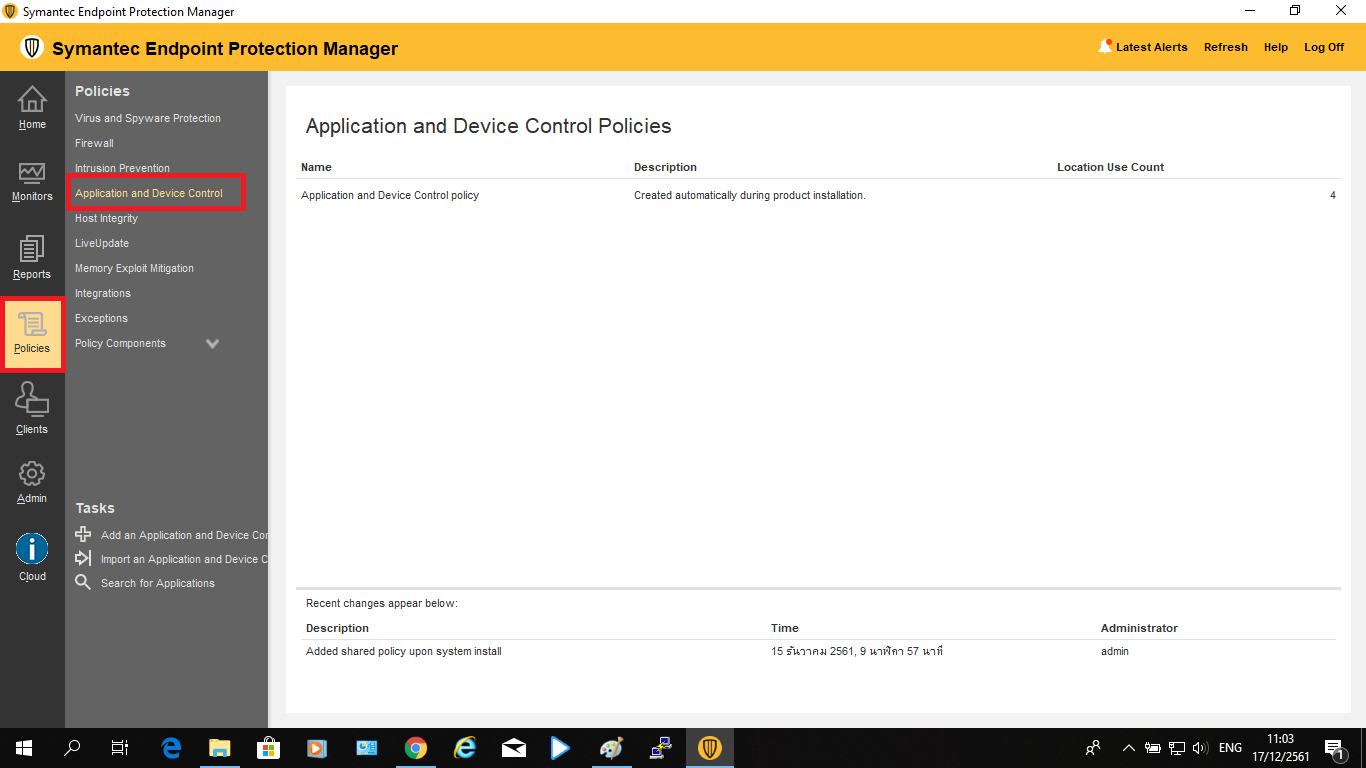
1. กดเข้าไปที่ Policies ที่แถบเครื่องมือด้านซ้ายของโปรแกรม จากนั้นเลือก “Application and Device Control”
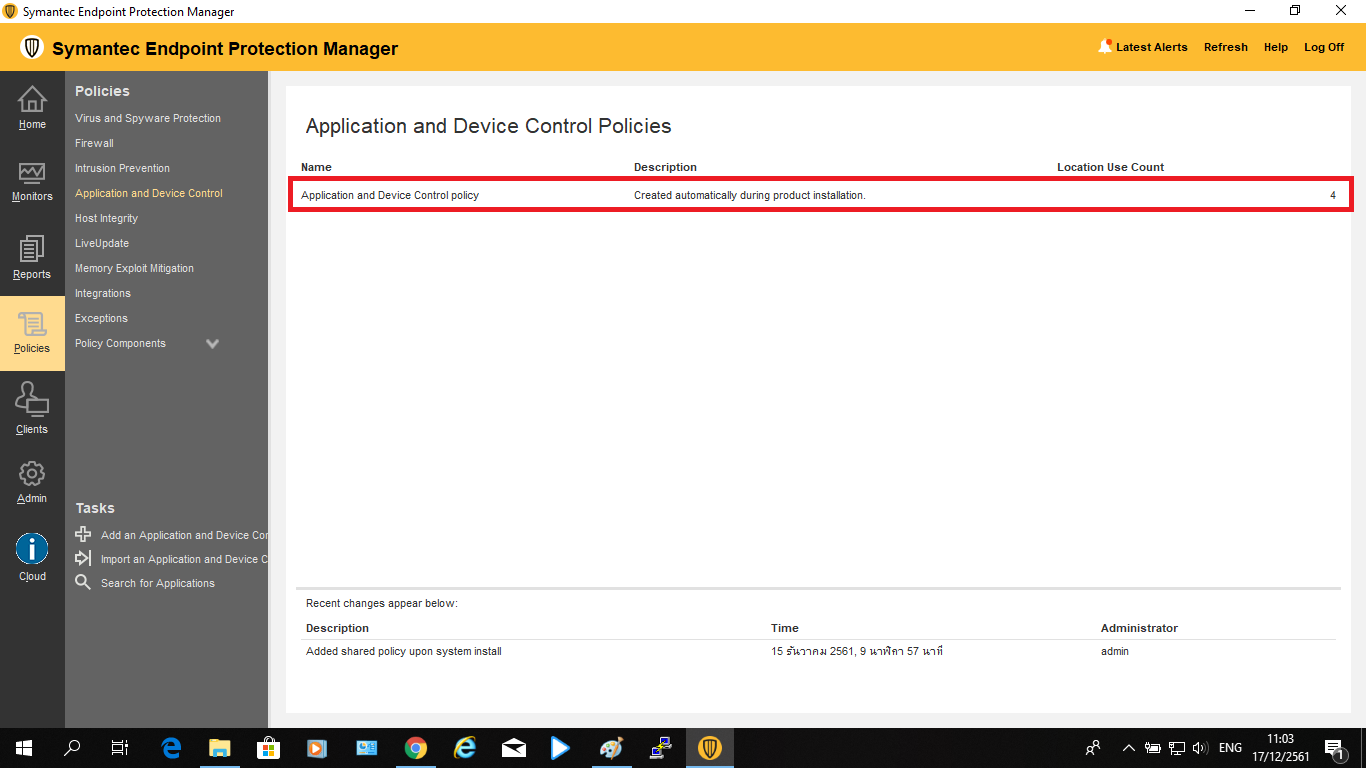
2. ดับเบิ้ลคลิกเข้าไปที่ Application and Device Control policy
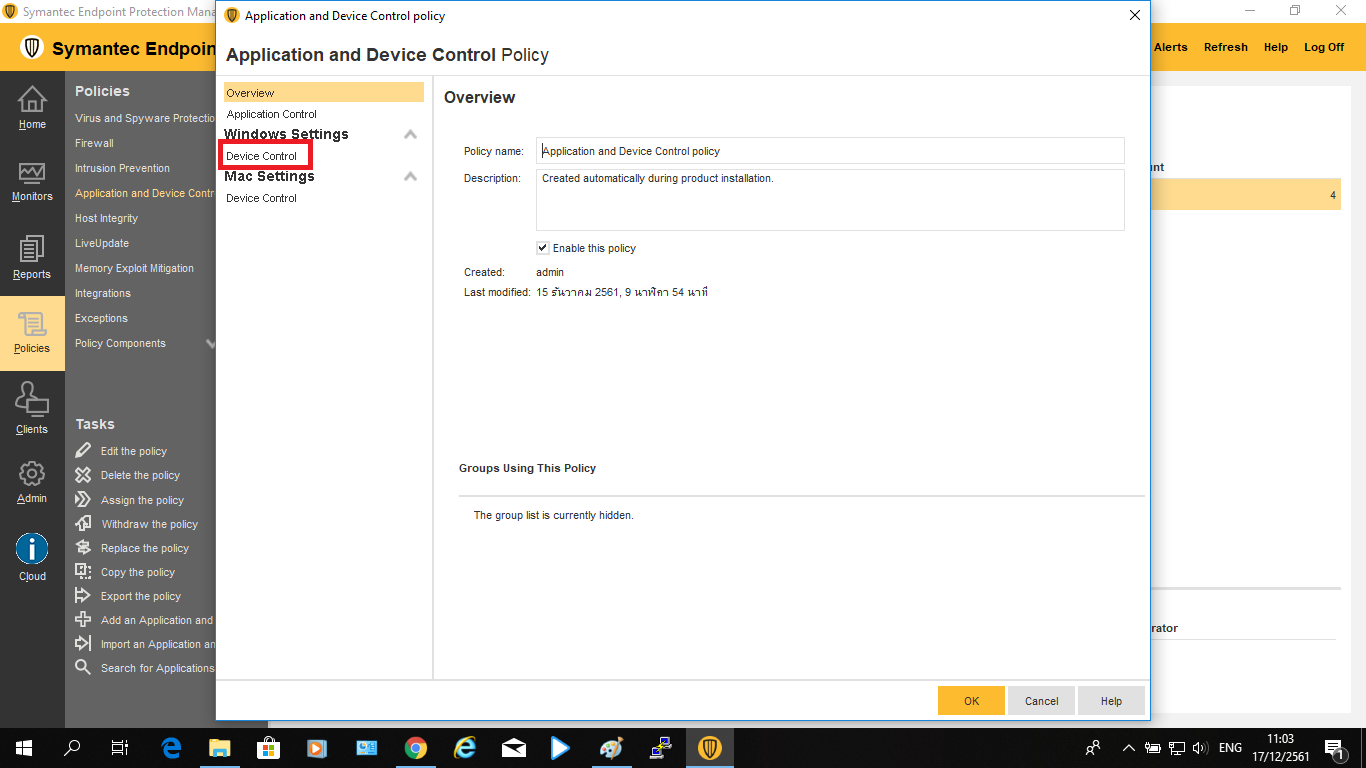
3. เลือก “Device Control”
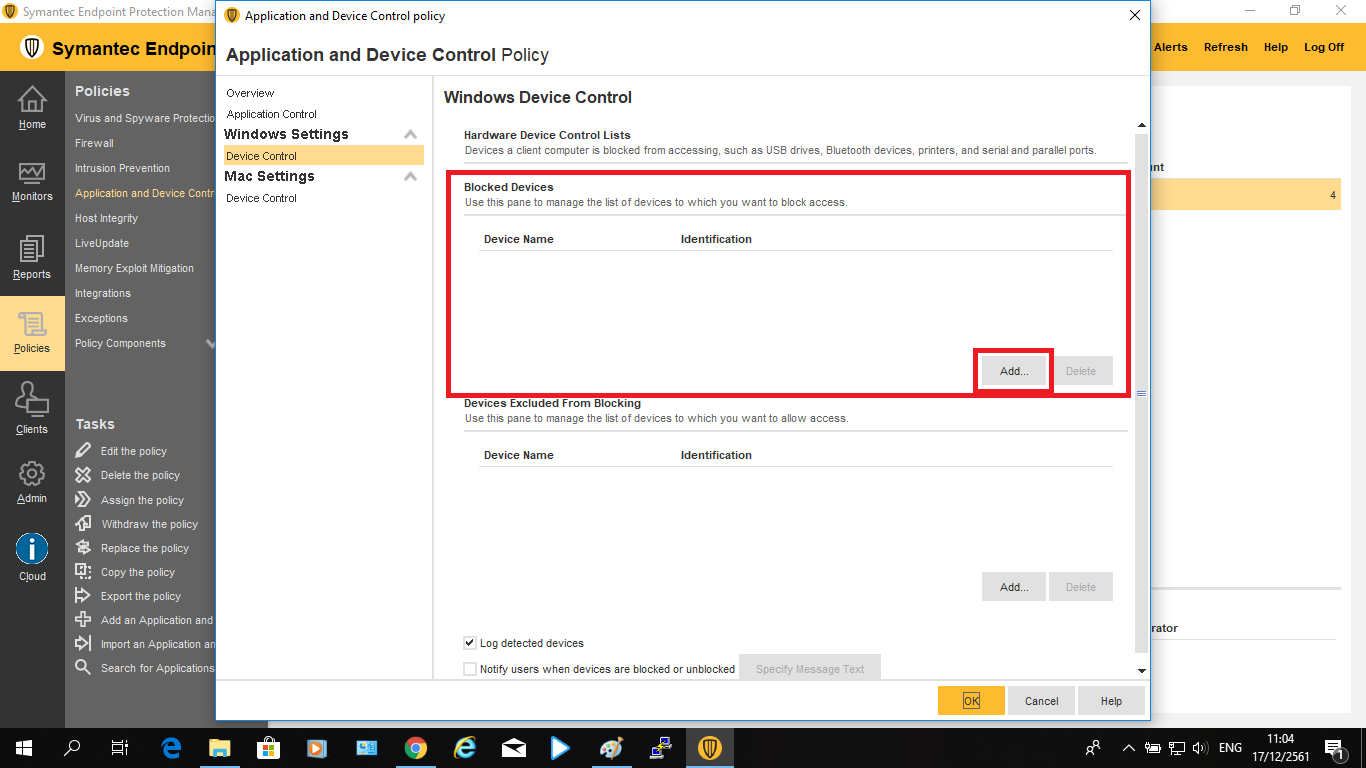
4. ในส่วน Blocked Devices เลือก “Add”
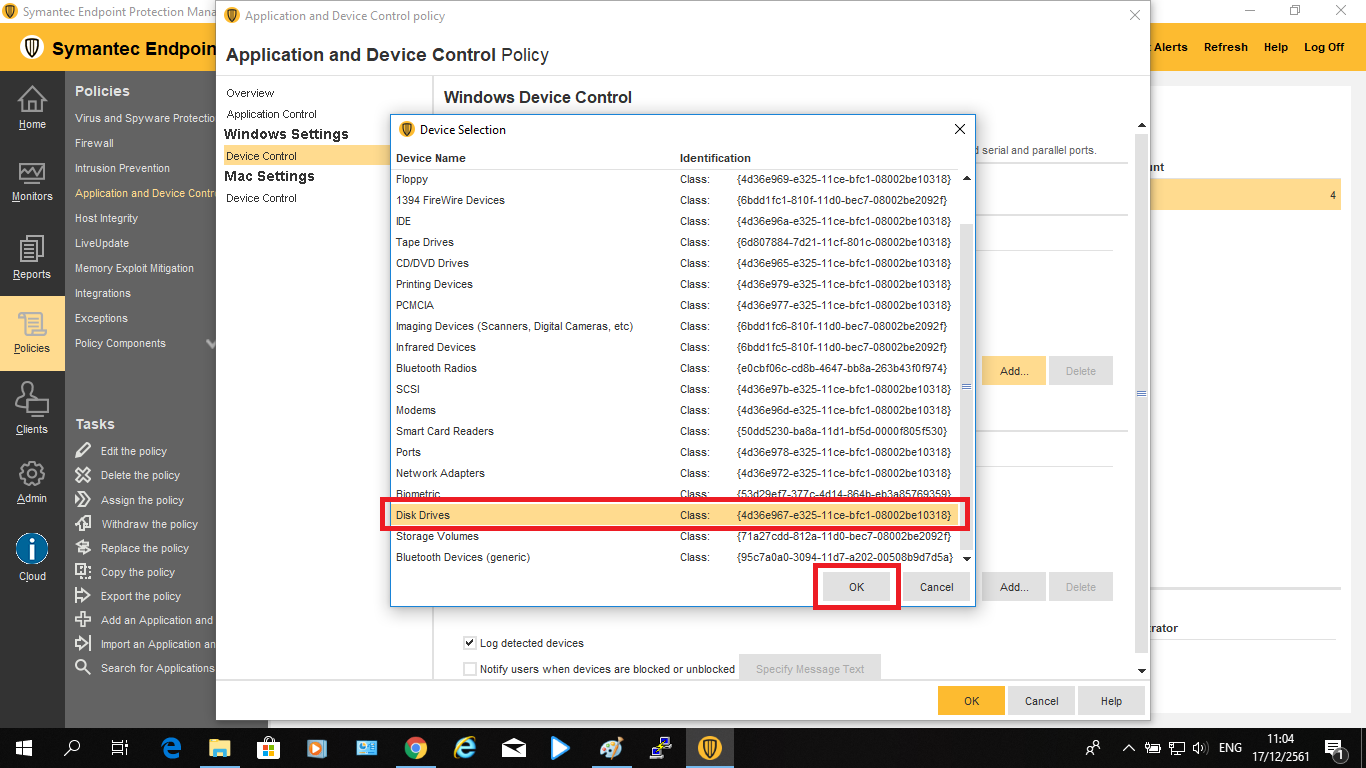
5. เลือกหัวข้อ Device ที่ต้องการ Block (ในที่นี้เลือก Disk Device) จากนั้นกด “OK”
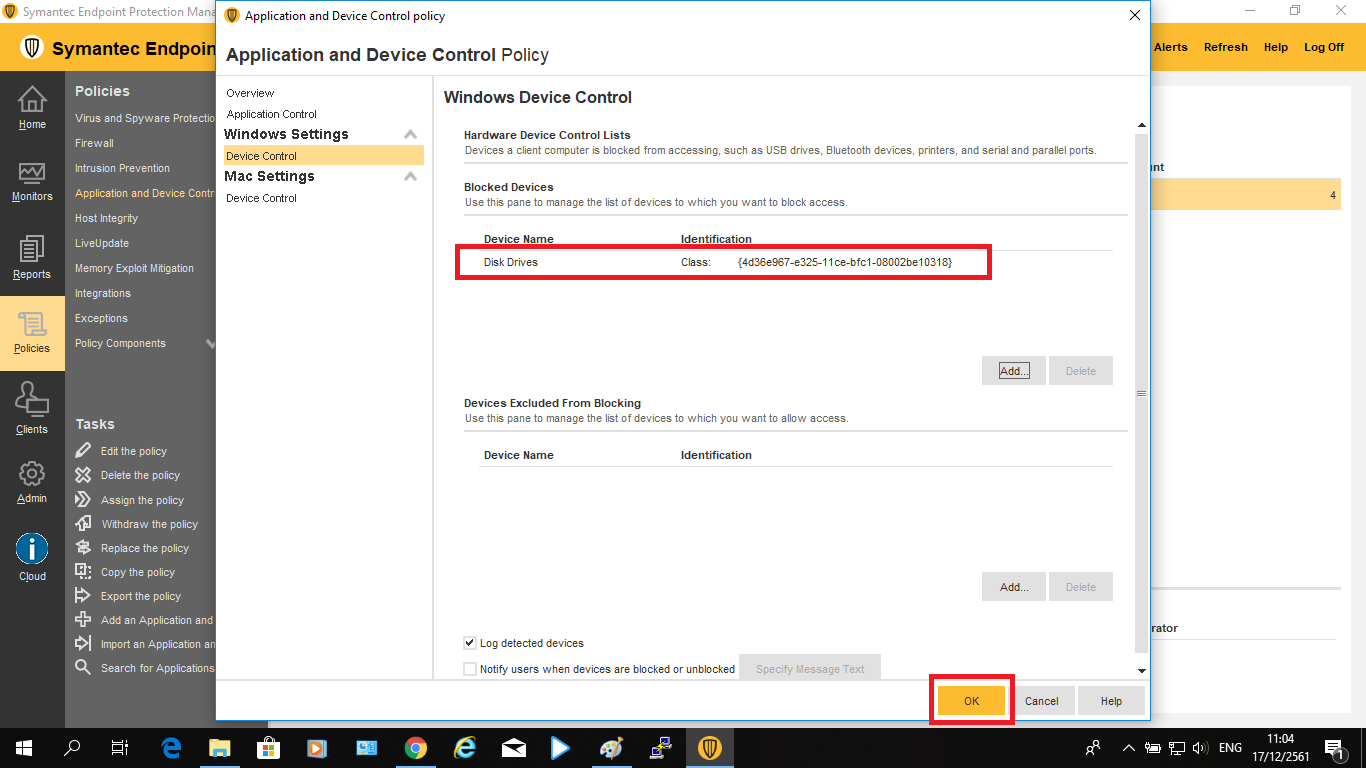
6. กด “OK”
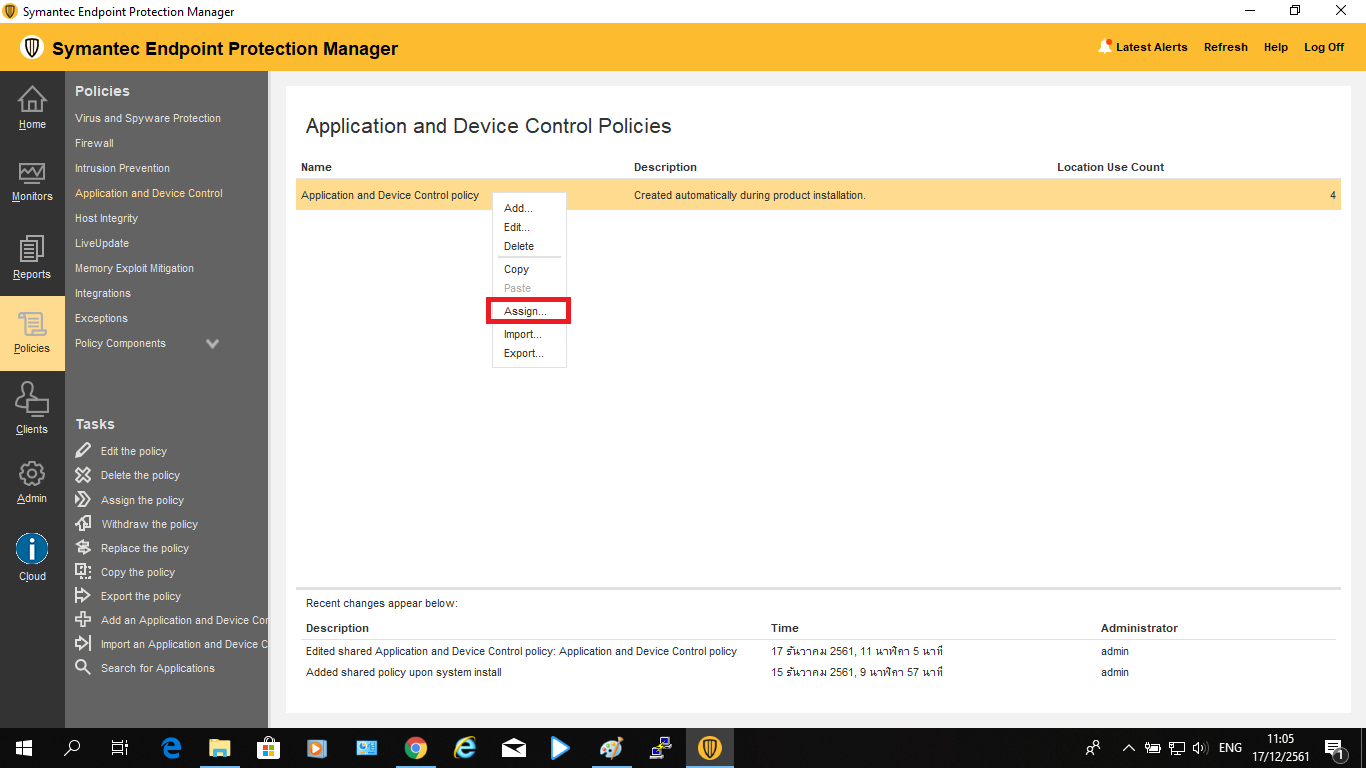
7. คลิกขวาที่ Application and Device Control policy แล้วเลือก “Assign”
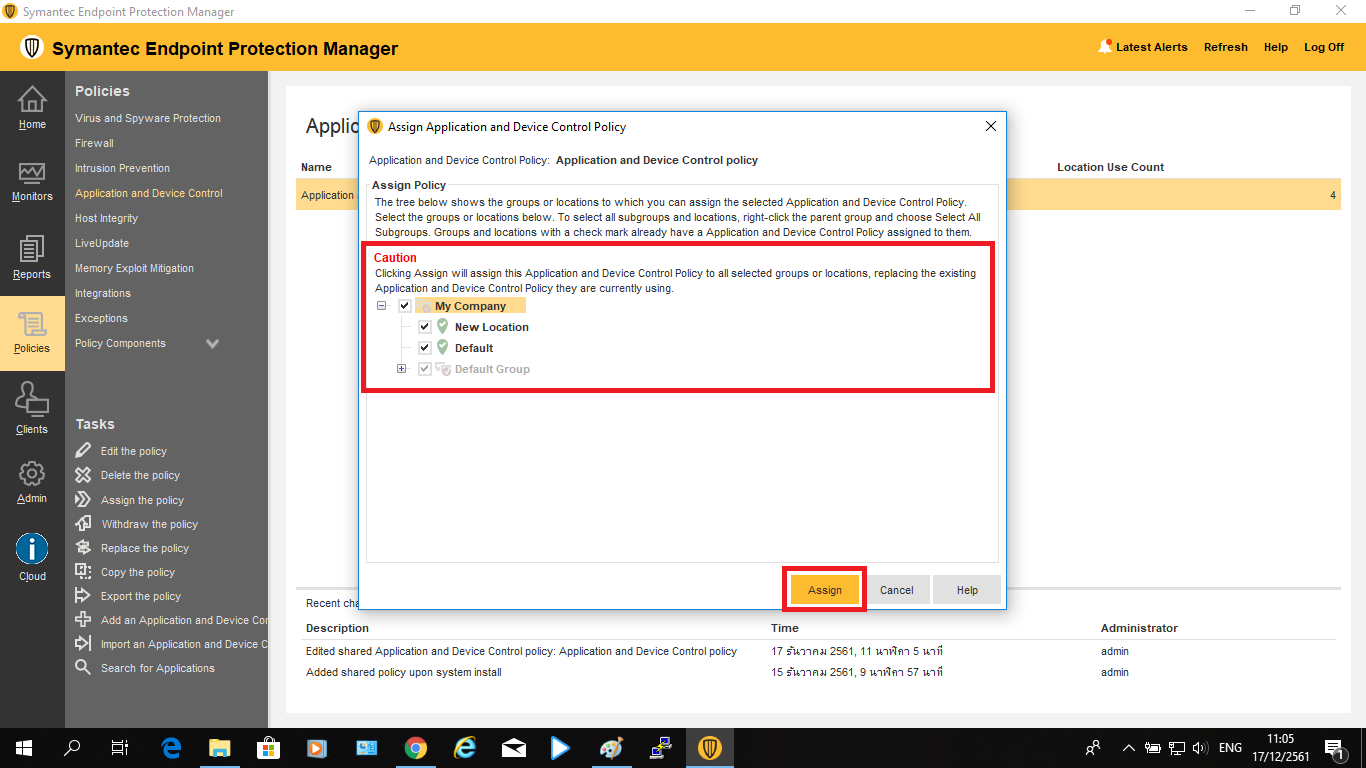
8. เลือก Group ที่ต้องการกำหนด Policy ลงไป จากนั้นกด “Assign”
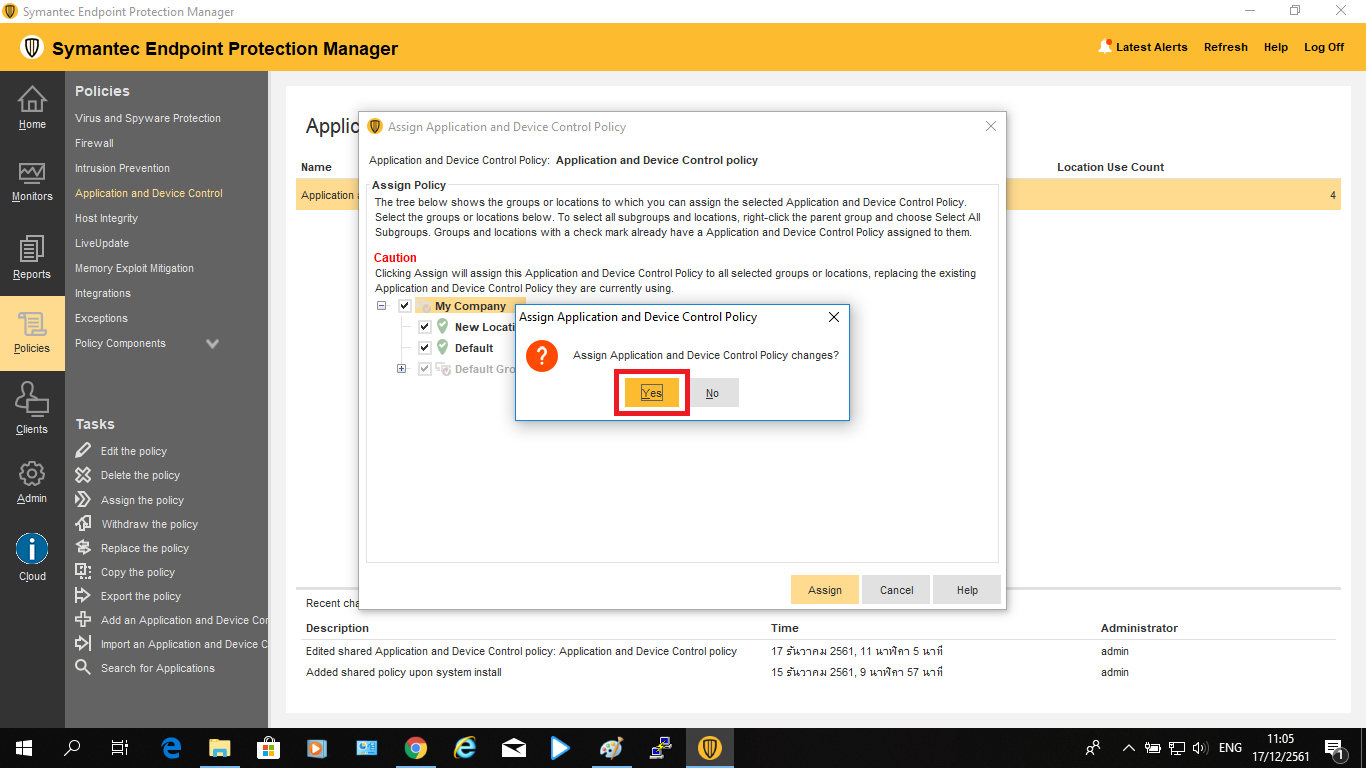
9. กด “Yes”
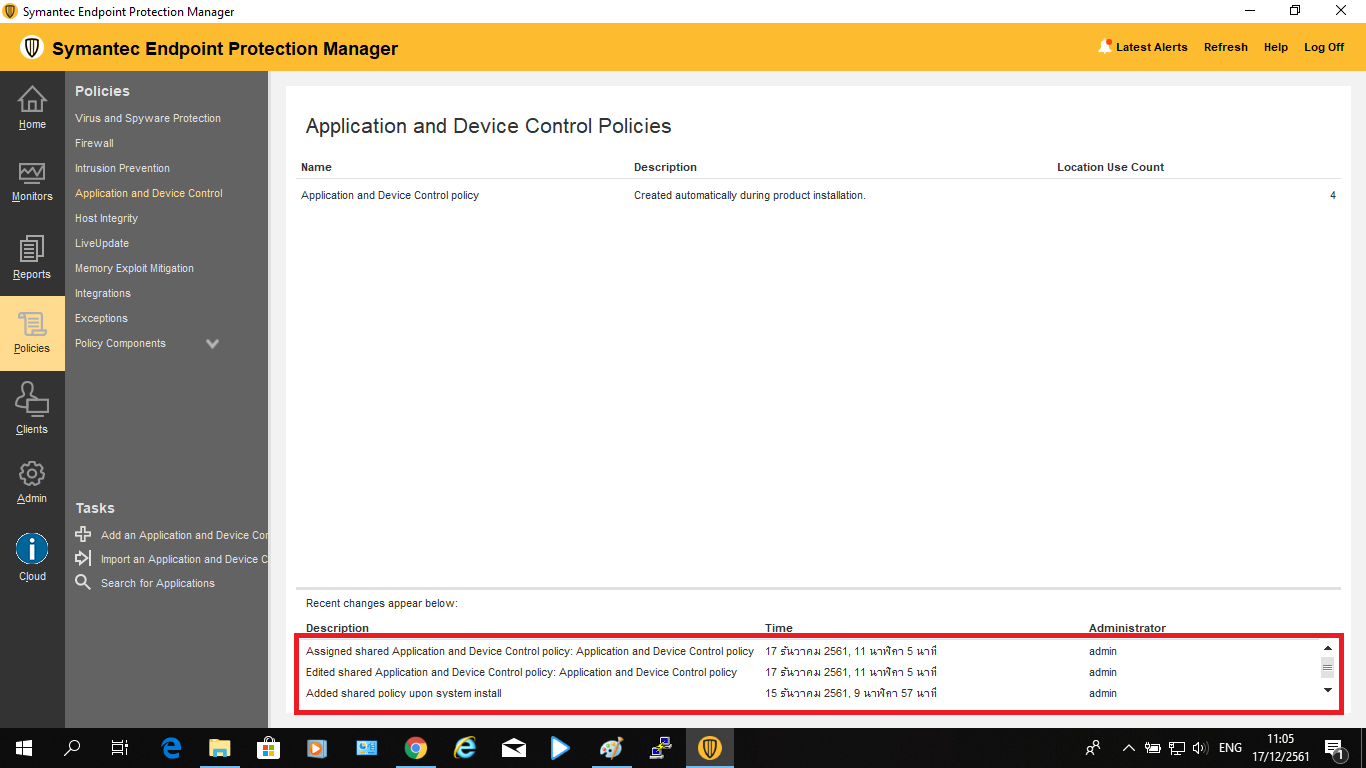
10. ที่แถบสถานะจะแสดงว่าได้มีการ Assign Policy ที่ชื่อ Application and Device Control policy ลงไปแล้ว